
- en, game alerts without phone
- Cameron
4 Step Setup: Live Scores Without a Phone for Families

A Wi-Fi connected, screen-free scoreboard is what actually delivers game alerts without a phone. It pulls live score updates for the teams you pick and shows them on a dedicated display, no app, no notification, no screen unlock required. A popular model is one such device already built for this job. It’s a fit for parents managing screen time, ADHD households looking to cut down on digital interruptions, and fans who just want the score at a glance.
TL;DR:
- The device requires a single Wi-Fi setup and auto-refreshes live scores without the need for apps or accounts, making it simple to use.
- It effectively reduces parental and family screen time by replacing phone checks with glanceable, passive score updates in shared spaces.
- The scoreboard’s placement should be in common areas with good Wi-Fi signal, avoiding bedrooms to prevent interference with sleep hygiene.
- When choosing a model, prioritize sports coverage, update reliability, display readability, mounting options, and ease of setup for best performance.
- Its privacy advantage is limited to score data, with no social media or browsing tracking, provided the device is connected securely to a protected home network.
Table of Contents
- How Do Game Alerts Without a Phone Actually Work?
- What Do the Research and ADHD Reviews Say About Screen-Free Alerts?
- How Should You Set Up and Place a Screen-Free Scoreboard?
- What Should You Look for Before Buying One?
- Is a Wi-Fi Scoreboard Private and Secure to Use?
- How Do Screen-Free Game Alert Devices Compare?
- How Do Real Households Use a Screen-Free Scoreboard?
- Why This Device Earns a Spot in Our Home
- How the Original LiveWire Board Fits This Exact Need
- Sources
How Do Game Alerts Without a Phone Actually Work?
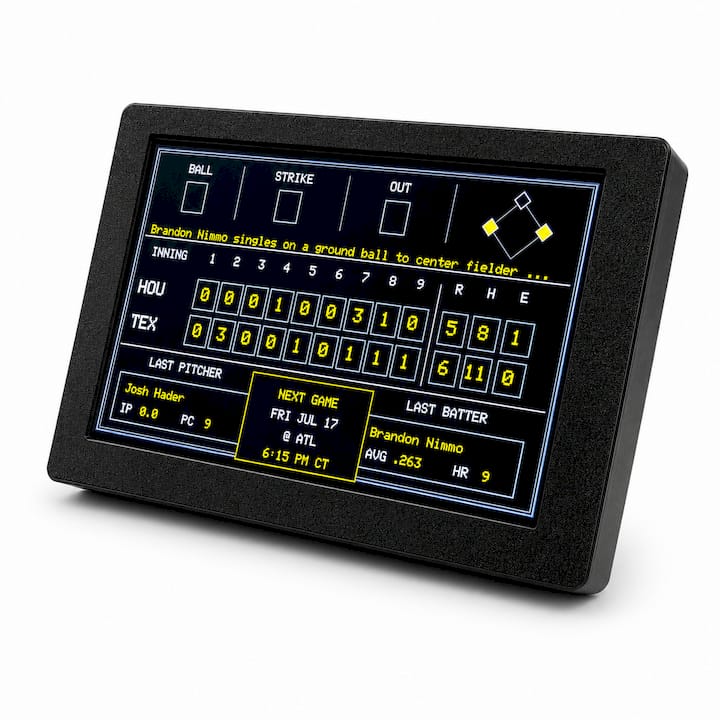
Forget push notifications and lock screens. A screen-free scoreboard connects to your home Wi-Fi once during setup, then quietly pulls live data for whatever teams you’ve chosen in baseball, football, basketball, or hockey. No app to open. No account to check. It just sits there, updating.
The display typically shows the essentials: current score, period or inning, and game clock. That’s it. There’s no video feed, no play-by-play commentary, no highlight reel. This is by design, not limitation. The whole point is glanceable information instead of an interactive feed that begs for more attention than a score update deserves.
Here’s what separates this from a phone alert:
- A phone notification interrupts you and asks for a response, even if that response is just swiping it away.
- An ambient display sits in your peripheral vision and updates itself. You look at it when you want to, not when it wants you to.
- There’s no scrolling temptation attached to it. Checking the score doesn’t turn into fifteen minutes of feed browsing.
The trade-off is real: no streaming, no stats deep-dives, no play analysis. You need a working internet connection and the device needs live data coverage for whatever league or team you follow. For fans who want raw score tracking without the digital rabbit hole, that trade-off tends to be worth it.
What Do the Research and ADHD Reviews Say About Screen-Free Alerts?
The term for what phones do to families has a name: technoference. It describes the way phone use interrupts parent attention and disrupts everyday interaction, and the research on it isn’t flattering. Higher parent phone use during shared time predicts more technoference and is linked to greater child behavior problems and lower parental responsiveness. Separate diary and experimental studies found that increased phone use during family activities made parents feel more distracted and less connected to their kids in the moment.
Dedicated, ambient, non-interactive displays help preserve interaction quality specifically because they replace phone-based information tasks rather than adding another screen to check.
That distinction matters for ADHD households in particular. A phone’s reward loop is variable and unpredictable, which is exactly the kind of stimulation that pulls attention and doesn’t let go. A scoreboard doesn’t do that. It updates, sits still, and waits. Reviews on managing screen use for children with tic disorders and ADHD recommend scenario-based screen rules and low-cost replacement strategies rather than blanket restrictions, and an ambient display fits that model neatly.
What this looks like in practice:
- Fewer phone checks during dinner because the score is already visible on the wall.
- Less negotiating over “just one more minute” before bed, since there’s no glowing screen to hand over.
- Calmer shared game nights where everyone watches the actual game instead of everyone’s individual phone.
How Should You Set Up and Place a Screen-Free Scoreboard?
Setup takes minutes, not an afternoon. Here’s the basic sequence:
- Pick a spot near a power outlet within reach of your home Wi-Fi signal.
- Power on the device and connect it to your network.
- Select your teams across baseball, football, basketball, or hockey.
- Confirm the display is pulling live updates correctly, then leave it alone.
Placement decides whether the board becomes a helpful fixture or an ignored gadget. Shared spaces work best: a kitchen counter, a living room wall, anywhere family sightlines naturally cross during the day. HCI research on ambient displays backs this up. Placement and content design determine whether people actually glance at a display or scroll right past it, and simple content in a shared line of sight tends to win.
Bedrooms are the one place to avoid. A glowing display, even a low-stimulation one, works against sleep hygiene if it’s the last thing a kid looks at before lights out.
For routine, treat it like a light switch. Turn it on during game days and family time, off overnight. Pair it with existing screen-free rules, meals, homework hours, so it reinforces habits you’re already building instead of competing with them.
Pro Tip: If your Wi-Fi signal is weak in your chosen spot, move the router or add a range extender before you troubleshoot the board itself. Most connection complaints trace back to signal strength, not the device.
What Should You Look for Before Buying One?
Not every screen-free scoreboard is built the same, and a few features separate a good one from a frustrating one.
- League and team coverage. Confirm it supports the sports and specific teams your household actually follows, not just the major ones.
- Update reliability. Ambient displays are only as good as their data feed. Look for consistent refresh rates during live games.
- Display readability. Text needs to be legible from across a room, not just up close.
- Mounting flexibility. Wall-mount, shelf, counter, whatever fits your space without becoming clutter.
- Setup simplicity. If it needs a manual thicker than a phone bill, that’s a red flag.
- Power stability. A device that drops offline every time Wi-Fi hiccups isn’t ambient, it’s annoying.
Budget-wise, expect a modest one-time cost rather than a subscription, and know that a bigger, easier-to-read face generally costs more than a compact model. That trade-off is worth thinking through based on where it’ll live in your home.
One device on the market checks these boxes: it connects over Wi-Fi, covers baseball, football, basketball, and hockey, and sets up without extra apps or accounts. You can browse it and its accessory case options on the product page or see the full lineup on the LiveWire Boards shop.
Is a Wi-Fi Scoreboard Private and Secure to Use?
A screen-free scoreboard has a narrower job than a phone or tablet, and that narrower job means a narrower privacy footprint. The device connects to your Wi-Fi to pull one-directional score data, it isn’t running social apps, camera feeds, or ad trackers, and it isn’t collecting browsing behavior the way a phone does.
That said, “connected to Wi-Fi” still means “connected to the internet,” so basic hygiene matters. Keep your home network password protected, same as you would for any smart device. If the manufacturer offers firmware updates, install them, since updates typically patch security gaps rather than add features you’d notice.
For families specifically worried about data collection around children, the appeal of this category is straightforward: there’s no account login tied to a kid’s name, no app permissions to review, no notification history being logged. The device does one thing: display scores. That single-purpose design is itself a privacy advantage over a general-purpose tablet loaded with apps that all want access to something.
If you’re evaluating any screen-free device, ask what data it collects and where that data goes. A legitimate scoreboard should have a short, plain answer. If a company can’t explain its data practices in a sentence or two, that’s worth noting before you buy.
How Do Screen-Free Game Alert Devices Compare?
Screen-free scoreboards generally fall into a few categories, and the differences show up fast once you start comparing feature sets.
Compact, single-purpose displays focus on one job: showing the score for a handful of chosen teams. The upside is simplicity and low cost. The downside is a smaller screen that can be harder to read from across a room.
Larger wall-mounted displays trade portability for readability. They work well in shared living spaces where the whole household passes by, but they need a more permanent spot picked out ahead of time.
Multi-sport versus single-sport devices matter depending on your household. A family that follows football in the fall and basketball in the winter needs coverage across leagues, not just one.
The common weak points across this category are display size versus readability, and how reliably the data feed refreshes during high-traffic game moments. A device that lags behind the actual score defeats the purpose of an “always current” ambient display. Buyers should weigh mounting flexibility and setup time as heavily as sport coverage, since a device that’s hard to place ends up ignored on a shelf instead of used daily.
How Do Real Households Use a Screen-Free Scoreboard?
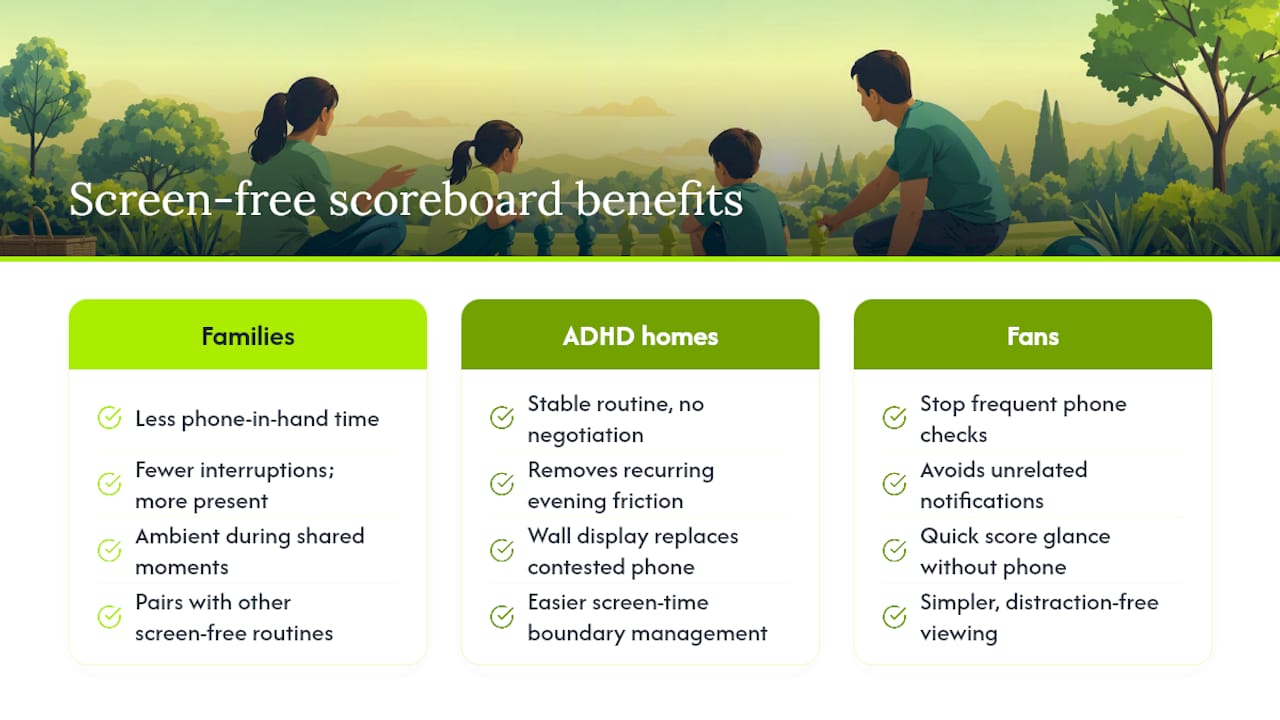
Families who’ve swapped phone-based score checking for an ambient display tend to describe the same shift: less phone-in-hand time during shared moments, and fewer interruptions during meals or game nights. That tracks with what the research on parental phone distraction consistently shows. Reduced attentional pull during shared activities correlates with parents feeling more present and connected rather than divided.
In households managing ADHD, the appeal often comes down to routine. A scoreboard that’s simply on the wall doesn’t require negotiation the way a phone does. There’s no “just five more minutes” because there’s nothing to scroll past. Parents managing screen-time boundaries for kids report that having one less screen to argue over, replaced by a passive display that just shows the score, removes a recurring friction point from evenings.
Sports fans without kids in the picture describe a simpler benefit: they stop pulling out their phone every ten minutes during a game just to check a score, then getting pulled into unrelated notifications once the phone’s already in hand. The board removes that detour entirely. For anyone building screen-free routines at home, pairing a device like this with other screen-free activities, the kind covered by resources like Mooshie Moments, rounds out a household approach that doesn’t rely on willpower alone.
Why This Device Earns a Spot in Our Home
Game night at my place used to mean four phones lit up on the coffee table, each one buzzing with something that had nothing to do with the actual game. Swapping that for a board on the wall changed the rhythm of the room almost immediately. Nobody was checking anything. The score was just there.
It won’t replace a broadcast if you actually want to watch the game, and it won’t give you play-by-play detail. What it does is remove the reflex to grab a phone every few minutes, which turns out to be most of the battle. The only real hiccup we ran into was a weak Wi-Fi signal in one corner of the kitchen, fixed in about five minutes once we moved the router.
— Cameron
How the Original LiveWire Board Fits This Exact Need
Everything in the buying checklist above, easy setup, always-on display, coverage across baseball, football, basketball, and hockey, is what a device of this type typically allows you to connect it to your Wi-Fi once, choose your teams, and it does the rest without asking for your attention again.
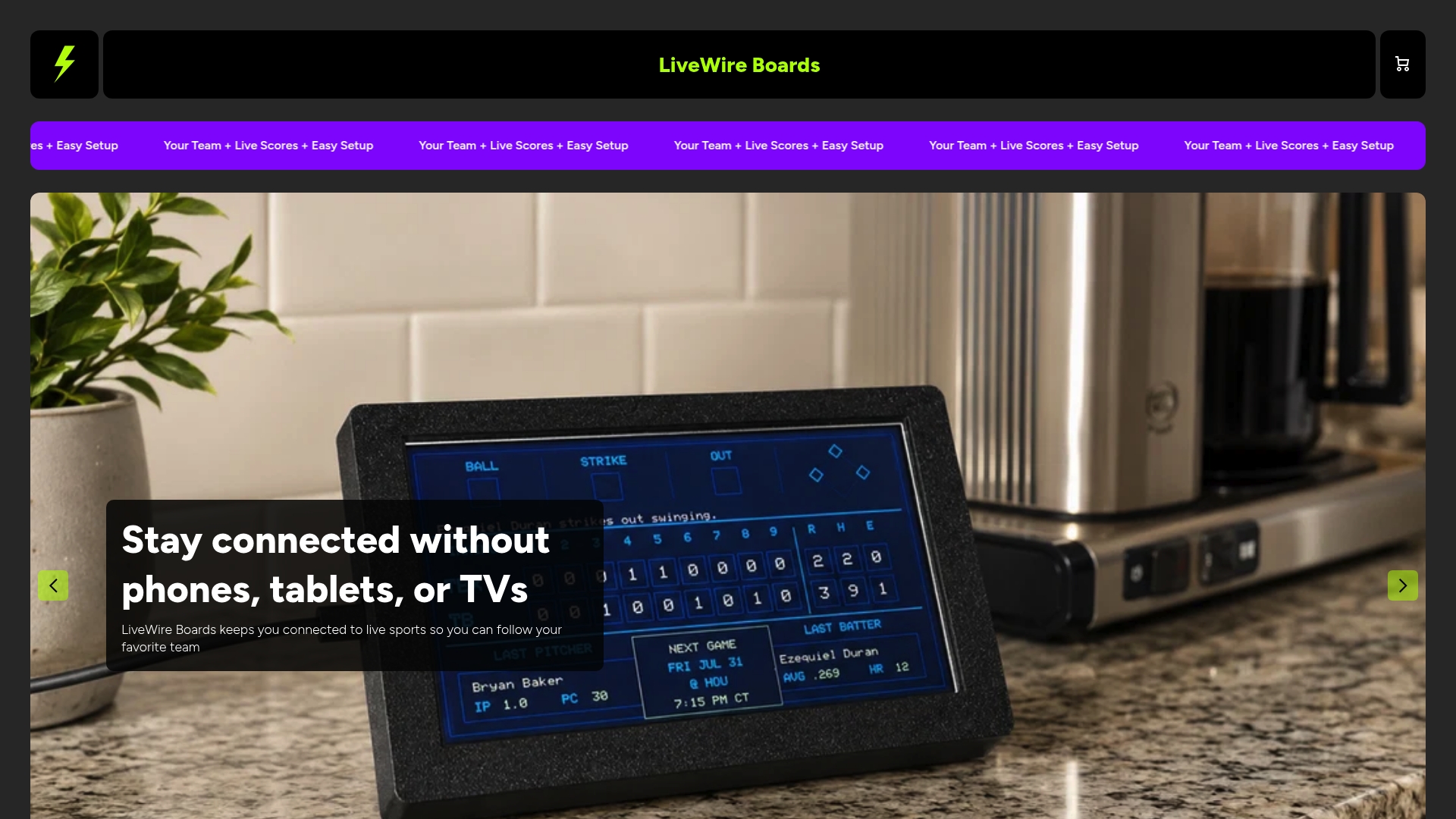
If you’re ready to swap phone-checking for a board on the wall, the product page for The Original LiveWire Board has current pricing and accessory case options for matching it to your room. Browsing the full LiveWire Boards lineup is a good next step if you’re comparing colors or want to see what else is available before you order.
Sources
- Family Perspectives study on device use and social interaction
- Technoference: Parent Distraction With Technology and Associations With Child Behavior Problems (2017)
- The impact of electronic product use on children with tic disorders and ADHD, and management strategies: a review (2025)
- Smartphones distract parents from cultivating feelings of connection when spending time with their children


