
- en, nba finals without phone
- Cameron
Watch the NBA Finals Without a Phone, 6 Step Setup for U.S. Families

For U.S. households wanting NBA Finals scores without phones, a Wi-Fi connected LiveWire Board provides glanceable, live score updates, no apps or tablets required. At a glance, it shows the two teams, the current score, and the game status or quarter. The first step is simple: put the board in a shared room, plug it in, and connect it to your home Wi-Fi before Finals night arrives.
TL;DR:
- The LiveWire Board displays only team names, current score, and game quarter, without video or detailed statistics, minimizing distraction.
- Setting up the board involves connecting to Wi-Fi, selecting teams, and testing it before the Finals to ensure proper updates.
- Using a dedicated, screen-free scoreboard supports routines for children with ADHD and reduces the temptation for constant phone checks.
- Placing the board in shared spaces and establishing glance windows helps keep Finals night low-distraction for all family members.
- It is recommended to pair the board with a family media plan and keep it out of private spaces for consistent, shared score checking.
Table of Contents
- How the LiveWire Board tracks and displays NBA Finals scores
- Setting up and testing your board before Finals night
- Using a glanceable board to support ADHD-friendly routines
- Keeping Finals night low-distraction for the whole family
- Why I recommend a screen-free board for Finals season
- Choosing the right LiveWire Board for your home
- FAQ
- Sources
How the LiveWire Board tracks and displays NBA Finals scores
A Wi-Fi connected board connects to your home network during setup, then you pick the teams you want to follow from a short list. Once that’s done, the board pulls live score data on its own. There’s no login screen to check, no app to open, and no notification badges piling up, just a small display sitting on a shelf or counter doing one job.
What shows up on the screen is deliberately narrow:
- Team names or abbreviations for the matchup in progress.
- The current score for each side.
- Game status, such as which quarter or period is underway, or whether the game has ended.
What it does not do is just as important for setting expectations. There’s no video feed, no play-by-play commentary, and no deep stat lines like shooting percentages or rebound counts. Official NBA game pages and linescores, like the 2026 NBA Finals schedule, show how these score fields are structured: a running line of scores by quarter, team names, and final results. A boxscore example from a recent Spurs-Knicks game illustrates the same minimal fields, team, score, and period, that a glanceable board is built to mirror.
That narrow focus is the point. A phone delivers a score update wrapped in a dozen other things competing for attention: texts, social feeds, app badges. A dedicated board delivers only the score, which cuts down on the kind of interruption that turns a 10-second check into a 10-minute scroll.
Setting up and testing your board before Finals night
Getting the board ready takes a few steps, and it’s worth doing a full test run before Game 1 tips off.
- Choose a shared space, such as the kitchen, living room, or family room, and avoid bedrooms or homework desks.
- Plug in the board and power it on.
- Connect to your home Wi-Fi network by entering your network name and password.
- Check signal strength from the chosen spot; move closer to the router if the connection looks weak.
- Select the team or teams you want to follow and confirm the matchup shown matches the correct series.
- Run a live test during a regular season or earlier playoff game to confirm scores update correctly.
If something doesn’t look right, a short troubleshooting pass usually fixes it: reboot the board, rejoin the Wi-Fi network, and double-check your team selection.
Pro Tip: Test the board on an ordinary game at least two days before the Finals start, so you have time to fix a weak Wi-Fi signal or a wrong team selection without missing Game 1.

Using a glanceable board to support ADHD-friendly routines
Children with ADHD often do better with predictable structure than with open-ended access to screens. CDC guidance on managing ADHD points to routines, distraction management, and short, predictable steps as practical supports at home. A scoreboard that only shows a score, with no feed to scroll and no app to tap into, fits naturally into that kind of structure.
Instead of letting phone checks happen whenever curiosity strikes, families can build the board into a scheduled rhythm:
- Set specific glance windows, such as at quarter breaks or halftime, rather than constant checking.
- Use a quick look at the board as a short transition between tasks, like finishing homework before checking the score.
- Pair the board with a small reward structure: finish chores, then take a 30-second glance together.
One useful figure to keep in mind: CDC’s guidance on ADHD treatment frames distraction management and routine-building as core supportive strategies for families, which is exactly the kind of structure a predictable, low-stimulation display is built to reinforce.
A board like this is a supportive household tool, not a treatment. Families managing an ADHD diagnosis should continue working with a pediatrician or clinician on a full care plan.
Keeping Finals night low-distraction for the whole family
A few household habits keep the board useful without turning it into another thing to check constantly.
- Agree on glance windows in advance, like after each quarter, and have adults follow the same rule as kids.
- Pair a board check with a small ritual, a snack grab or a quick comment about the game, so it stays social instead of solitary.
- Offer a board check as a reward for finishing homework or chores, not as a background habit.
- Keep the board out of bedrooms and private spaces so checks happen in shared rooms, on a shared schedule.
Pro Tip: Put the board somewhere everyone passes by naturally, like a kitchen counter, so checking the score becomes a shared moment instead of a solo scroll.
Why I recommend a screen-free board for Finals season

I’ve spent time writing about family technology habits and the tools that actually hold up to daily use, and the appeal of a glanceable scoreboard is how little it asks of anyone. One family I heard about was managing a son’s ADHD diagnosis and had grown tired of score-checking turning into a 20-minute phone session every time. Switching to a dedicated board meant score updates stayed quick and the phone stayed in a drawer.
That said, a board works best as one piece of a bigger plan. Pair it with a family media agreement along the lines of the AAP’s Family Media Plan, and loop in a clinician when ADHD-specific guidance is needed.
— Cameron
Choosing the right LiveWire Board for your home
The direct fix for checking NBA Finals scores without a phone in hand is simple: order a LiveWire Board, set it up once, and let it run on its own all series long. The Original LiveWire Board is the standard setup, built for Wi-Fi connection, team selection, and a clean display with no extra apps involved. For families who want the board to match a kitchen or living room, the Custom Color Upgrade swaps in a different case color without changing how the board works.
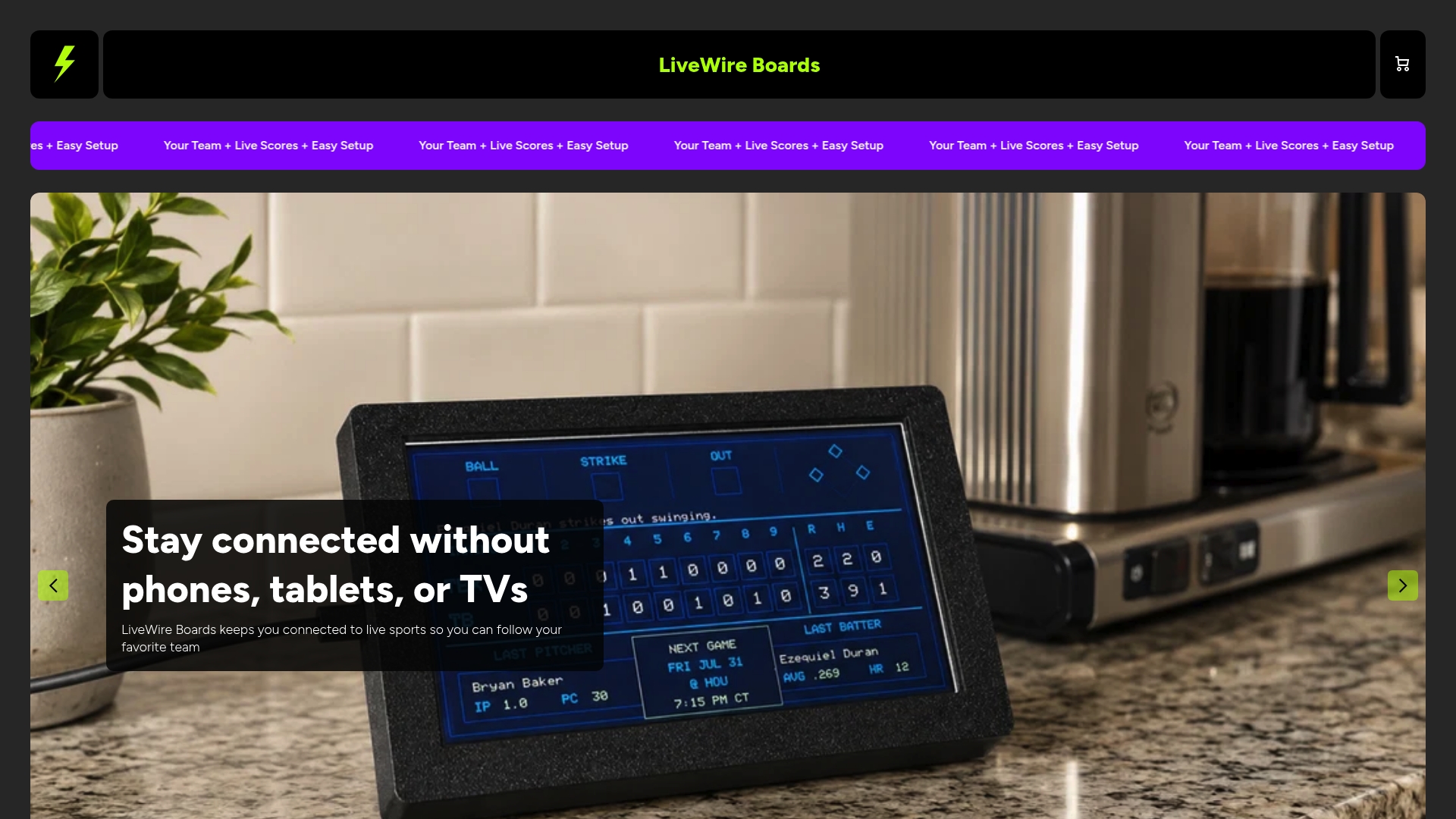
Before Finals night, run through this short checklist:
- Order the board early enough to allow a few days for setup and testing.
- Test it on a non-Finals game first to confirm Wi-Fi and team selection work correctly.
- Pick a color option if you want the board to fit a specific room’s look.
Set it up once, and every game from here through the Finals shows up the same simple way: team, score, status, nothing else competing for attention.
FAQ
What does a LiveWire Board show during a game?
It shows the two teams playing, the current score, and the game status, such as which quarter is underway or whether the game has ended. It does not show video, play-by-play commentary, or detailed stats like shooting percentages.
How do I set up a LiveWire Board before the NBA Finals?
Place the board in a shared room, connect it to your home Wi-Fi, and select the teams you want to follow. Run a live test on a regular season or earlier playoff game to confirm everything updates correctly before Finals night.
Can a glanceable scoreboard help with ADHD-related distraction?
CDC guidance on ADHD recommends routines and distraction management as practical supports, and a minimal display with no apps or feeds can fit into that kind of structure. It works as a supportive household tool, not a substitute for guidance from a pediatrician or clinician.
Does the LiveWire Board replace a family media plan?
No. It pairs well with a plan like the AAP’s Family Media Plan, which focuses on context and parental modeling rather than strict time limits, with the board serving as the agreed-on way to check scores.
What color options are available for the LiveWire Board?
The Custom Color Upgrade lets you choose a different case color for the board so it fits the look of your kitchen, living room, or family space.
Sources
For live score formats and official schedules, NBA.com’s game pages are the primary reference. For household media planning and ADHD-specific strategies, the AAP and CDC guidance linked above offer the most reliable starting points.


