
- en, office sports updates
- Cameron
See Scores in 15 Minutes: Office Sports Updates for ADHD Families

The fastest way to get office sports updates and home score checks without opening a phone is a Wi‑Fi connected, screen‑free scoreboard set to your favorite teams. The Original LiveWire Board is built for exactly this: it delivers real-time scores for baseball, football, basketball, and hockey with almost no attention-seeking interruptions, which matters most for kids and adults managing ADHD.
TL;DR:
- The scoreboard requires only Wi-Fi setup and team selection, and it should be mounted in a peripheral spot to prevent it from becoming a distraction.
- It supports major sports leagues with a slight delay tied to official feeds, avoiding instant updates that could be visually disruptive.
- The device’s privacy features include no camera, no login, and minimal data collection, making it suitable for privacy-conscious families.
- Proper placement and testing are crucial, as mounting it too close to workspaces may shift its function from ambient display to focus magnet.
- Its simplicity and focus on one job help reduce re-engagement with screens, especially benefiting children and adults managing ADHD.
Table of Contents
- How Does a Screen-Free Scoreboard Deliver Live Updates?
- Why Ambient Displays Reduce Distraction (What the Research Says)
- Where Should You Place It and How Long Does Setup Take?
- What Should You Look for Before Buying?
- Why We Built a Scoreboard Instead of Another App
- Ready to Set Up Your Own LiveWire Board?
- Research and Guidance Worth Reading Next
- Sources
How Does a Screen-Free Scoreboard Deliver Live Updates?
A LiveWire Board connects to your home Wi‑Fi once, then quietly pulls score updates for the teams you pick during setup. No app, no login screen, no push notification buzzing on a counter. That’s the entire mechanism, and it’s deliberately simple.
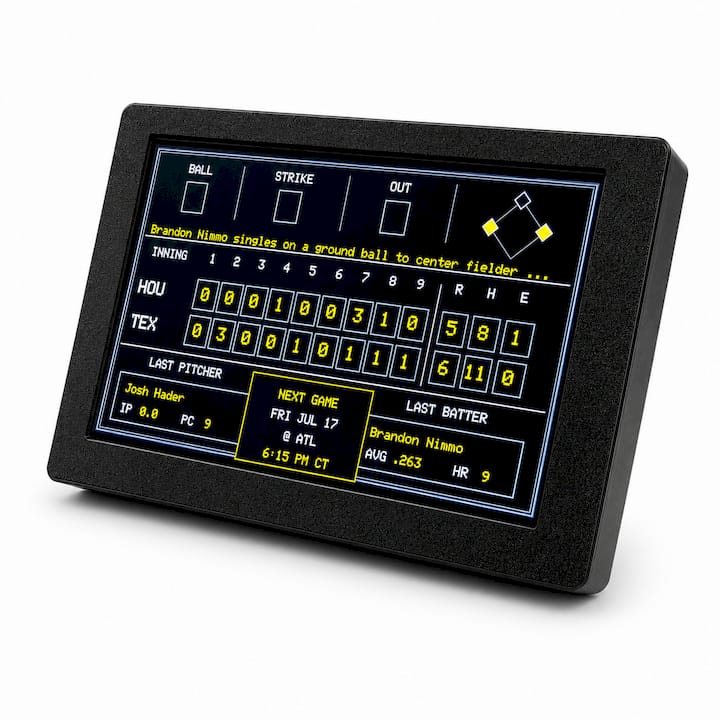
The device covers baseball, football, basketball, and hockey, and updates land on a short delay tied to the official feed it pulls from rather than an instant, second-by-second refresh. That’s by design. A scoreboard that refreshes like a stock ticker would just become another thing pulling at your eyes.
Here’s what it purposely leaves out:
- No video streaming or highlight clips
- No social feeds, comment sections, or ads
- No app notifications that follow you to another room
- No camera, microphone, or account login tied to personal data
That last point matters for privacy-minded parents. The board only needs a Wi‑Fi connection and your team selections to function, so there’s no browsing history, no location tracking, and nothing for a child to accidentally tap into. It’s closer to a kitchen clock than a tablet: it does one job and stops there.
Why Ambient Displays Reduce Distraction (What the Research Says)
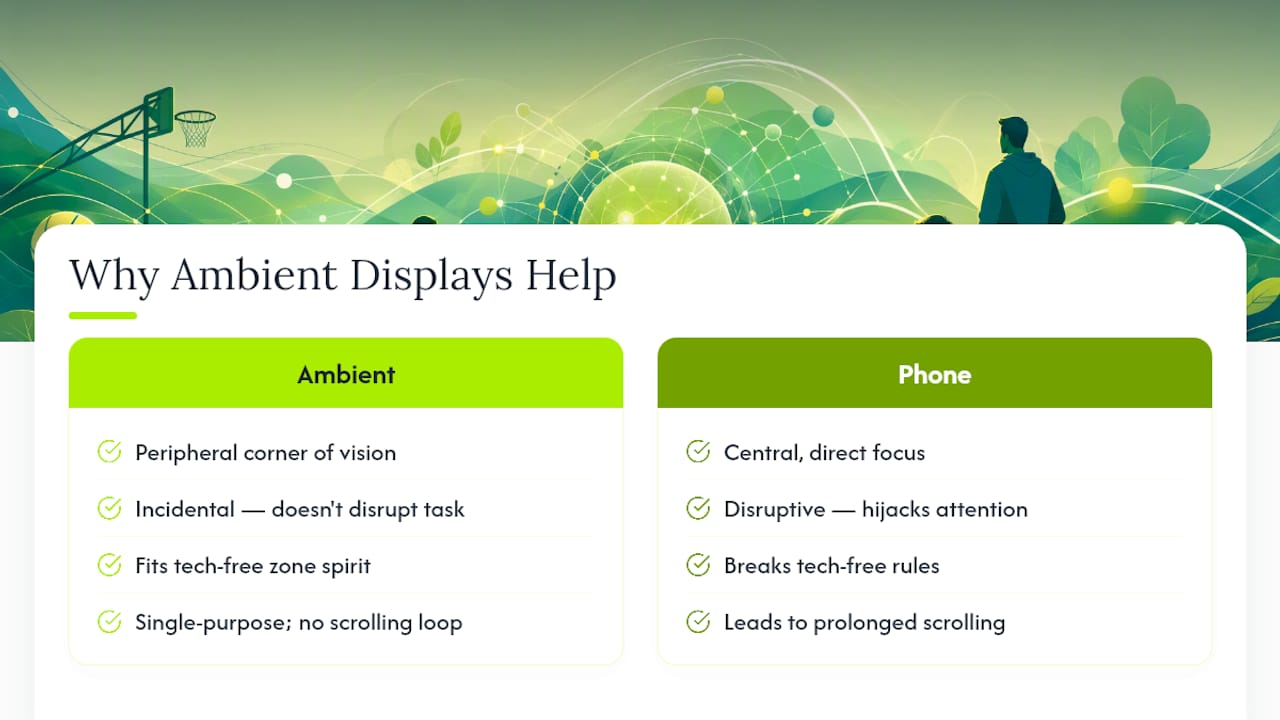
Peripheral, low-load displays deliver information without hijacking the task someone’s already doing. Research on ambient and peripheral information displays has found that incidental visualizations positioned outside a person’s direct focus don’t meaningfully disrupt concentration the way an active screen does. A scoreboard glanced at from across the room behaves nothing like a phone buzzing in a pocket.
Ambient displays work because they sit in the corner of your vision, not the center of it. You absorb the score without your brain treating it as an interruption worth stopping for.
That distinction lines up with Mayo Clinic’s guidance on children’s screen time, which recommends tech-free zones and family media plans to limit digital exposure, especially for children under five. A scoreboard fits inside a tech-free zone without breaking the spirit of the rule, because it isn’t a screen chasing attention. It’s a fixed display doing one job.
For families managing ADHD, this matters beyond convenience. Constant re-engagement with a phone, where checking a score turns into ten minutes of scrolling, taxes executive function hard. A single-purpose board removes that loop entirely. Users have found they can follow games more easily, engaging with the sport itself rather than the interface around it, without the usual technology clutter pulling their attention sideways.
Where Should You Place It and How Long Does Setup Take?
Setup runs three simple steps requiring only a short amount of time to complete:
- Connect the board to your home Wi‑Fi network using the on-device prompts.
- Select your favorite teams across baseball, football, basketball, or hockey.
- Mount or set the board somewhere in your peripheral sightline, not directly in front of a workspace or homework table.
Placement is where most of the distraction-reduction value gets won or lost. A board mounted at eye level on a kitchen wall, a hallway, or a corner of the living room stays ambient. Put it directly above a laptop or a kid’s desk, and it becomes a focus magnet instead of a background cue, undercutting the entire point of a screen-free approach.
Pairing the board with an analog clock nearby is a small move that pays off for households managing executive-function challenges: visible, non-digital time cues help people track time without needing a phone alarm.
Pro Tip: Test one location for a full week before mounting anything permanently. If you catch yourself or your kids walking over to check the score every few minutes, move the board somewhere less central. That re-engagement pull is the signal something needs to shift.
If updates lag or stall, the usual fix is Wi‑Fi signal strength. Homes with dead zones do better moving the board closer to the router or adding a small Wi‑Fi extender rather than troubleshooting the device itself.
What Should You Look for Before Buying?
Not every scoreboard on the market is built the same way, and a few features separate a genuinely distraction-free device from something that just looks like one.
- Connectivity reliability: it should hold a stable Wi‑Fi connection without frequent dropouts or manual resets.
- Simple, single-purpose controls: no menus, settings screens, or app pairing required to check a score.
- Sports and team coverage: confirm it supports the leagues you actually follow, with reasonable update latency.
- Size and visibility: it needs to be readable from across a room without becoming a focal point up close.
- Privacy design: no camera, no account required, minimal data collected.
- Total cost: factor in the purchase price plus any optional accessories like color case upgrades, since some boards carry ongoing subscription fees while others don’t.
Why We Built a Scoreboard Instead of Another App
Cameron here. The pitch behind LiveWire Boards started from a simple frustration: every “solution” to reduce screen time somehow involved another screen. A sports app that promises quick score checks still opens onto a feed, a notification tray, and three more things competing for attention once you unlock the phone.
We designed around one rule: low friction, single purpose, nothing that asks for more attention than it needs to deliver a score. That meant cutting features other products treat as selling points, like push alerts and video clips, because those are exactly the mechanisms that turn a two-second glance into a fifteen-minute detour.
The reports we hear most from customers aren’t about the scores themselves. They’re about kids sitting through a whole game without asking for a phone, or parents noticing they check their own devices less. That’s the behavior we set out to change.
— Cameron
Ready to Set Up Your Own LiveWire Board?
Livewireboards offers a physical product rather than a subscription service. Compared to sports apps or constant TV score tickers, The Original LiveWire Board does one thing well: it shows the score and gets out of the way.
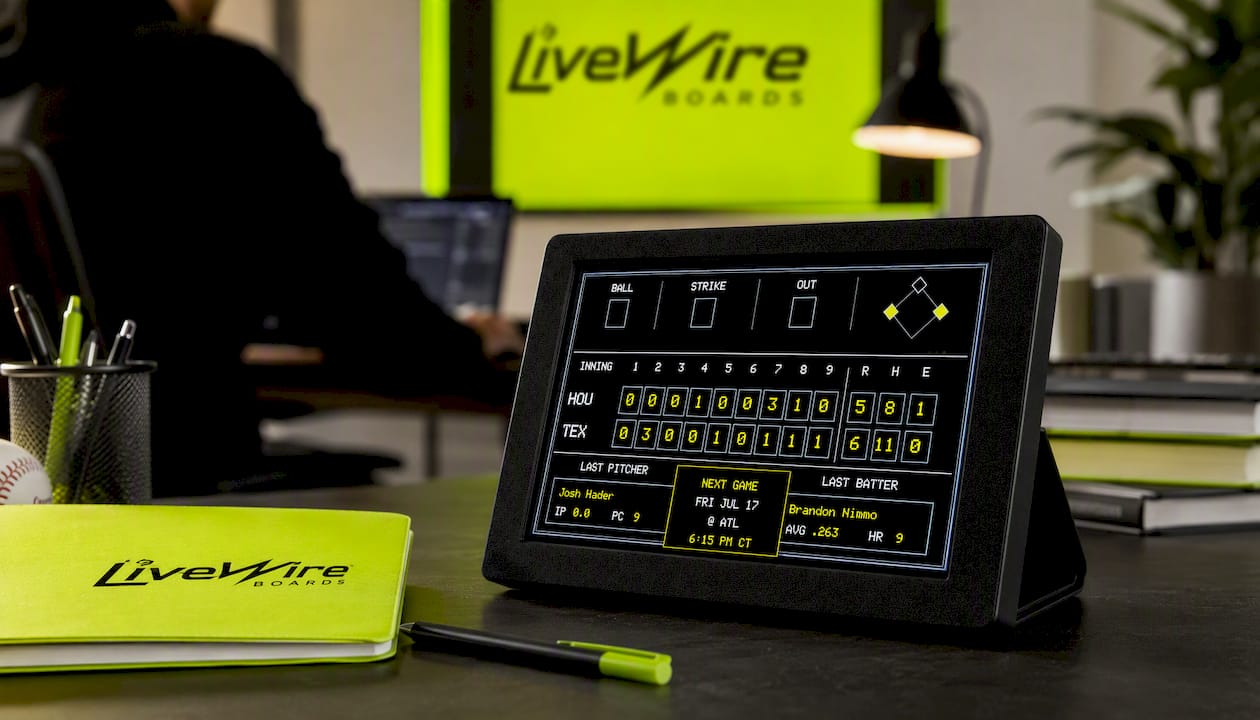
Ordering is straightforward from the product page, where you can also browse optional color case upgrades if you want the board to match a room. Setup after delivery takes about the same fifteen minutes described above: connect to Wi‑Fi, pick your teams, and mount it somewhere peripheral. If you get stuck, customer support is available directly through the LiveWire Boards site. If you’re setting up teams for kids and want to make the process a little more fun, a fantasy team name generator is a harmless way to let them pick something silly during setup.
This is still a single-purpose device on purpose. It won’t stream games, send notifications, or pull you into a feed. That’s the entire appeal for a household trying to cut down on screen time without losing track of the score.
Research and Guidance Worth Reading Next
- The arXiv research on ambient and peripheral displays explains why low-load visual cues don’t disrupt focus the way active screens do.
- Mayo Clinic’s screen-time guidance covers age-based limits and how to build a family media plan.
- HealthyChildren.org’s summary of AAP policy offers practical steps for reducing digital clutter at home.
- CNN’s reporting on regulating kids’ tech use shows why replacing screens with alternatives tends to work better than simply removing them.


