
3 Screen Time Family Rules That End Nightly Fights

A short list of shared rules, backed by a one-page Family Media Plan, beats any single hours-per-day limit at reducing screen time fights. Start with three moves: no devices during meals, a charging station outside every bedroom, and homework or chores completed before screens turn on. The American Academy of Pediatrics backs this up directly, telling parents to judge screen use by content and context, not a fixed number of hours.
TL;DR:
- Using a shared charging station outside bedrooms and no devices during meals helps establish clear, effective boundaries that children can follow consistently.
- Implementing responsibility-based rules, such as chores and homework before screens, creates a routine that naturally limits recreational screen time.
- Tailoring rules by age, with no screen time beyond video chat for under two, and requiring youth participation in rule creation, increases compliance and fairness.
- Automating restrictions through device timers or router controls reduces nightly conflicts and ensures rules are enforced reliably without constant parental intervention.
- Keeping rules simple, adaptable, and reviewed regularly helps sustain behavior change and prevents rules from collapsing under daily pressure.
Table of Contents
- Practical Family Tech Rules You Can Start Tonight
- How Do You Build a Family Media Plan That People Actually Follow?
- What Screen Time Rules Make Sense at Each Age?
- Enforcing the Rules Without a Daily Fight
- Where Utility Tech Fits Into a Low-Distraction Household
- Rules That Held Up Across My Own Family’s Ages and Stages
- A Screen-Free Way to Keep Up With the Score
- Sources
Practical Family Tech Rules You Can Start Tonight
Forget the idea that you need an extensive policy. The families who stick with screen time family rules long term keep the list short, specific, and applied to every person in the house, adults included.
Here’s a working set, drawn from parenting toolkits and the routines that actually survive past week one:
- No devices at the table. Meals are the one guaranteed daily window for conversation, and phones at the table kill it fast.
- Bedrooms stay screen free after a set charging time. A shared charging station outside the bedroom, a practice recommended in HealthyChildren’s family media plan guidance, protects sleep better than any app-based lockout.
- Responsibilities come before screens. Homework, chores, and reading happen first; screens are what’s left of the evening, not the default activity.
- One screen at a time. No scrolling a phone while watching TV. It sounds minor, but it’s often where two hours of “background” screen time actually hides.
- A 60-minute wind-down before bed. Blue light matters less than the stimulation of gaming or social feeds right before sleep.
- Co-viewing for younger kids. Sit with them. It turns passive viewing into something you can talk about afterward.
- Rules travel to other houses. Grandma’s house and sleepovers follow the same core rules, or at least the meal and bedtime ones.
Weekends and school breaks can flex on total time, but the zones (meals, bedrooms) and the sequence (responsibilities first) don’t move. That consistency is what makes family tech rules for sports and everyday screen habits stick instead of dissolving by Wednesday.
Pro Tip: Frame screen time as something earned through specific behavior, not a daily allowance handed out automatically. A reward tied to finished homework or 30 minutes outside causes far less arguing than a flat “one hour a day” rule.
How Do You Build a Family Media Plan That People Actually Follow?
A written plan turns vague expectations (“stop being on your phone so much”) into something everyone can point to. It doesn’t need to be long. It needs five things.
- Zones. Name the screen-free spaces: bedrooms, the dinner table, the car on short trips.
- Time blocks. Use “when,” not “how much.” “No screens for the first 30 minutes after school” is easier to enforce than “two hours a day,” because there’s nothing to negotiate at the margins.
- Responsibilities before screens. List what needs to happen first: homework, chores, 20 minutes outside.
- Content rules. Separate educational or creative use (coding, video editing, research) from passive scrolling, and treat them differently.
- Consequences. Keep them predictable and small. Losing screen privileges for a day works better than open-ended punishments nobody remembers the terms of.
Draft it with your kids, not for them. The Child Mind Institute notes that children who help write the rules are far more likely to follow them, since the plan stops feeling like something imposed from above. For teens especially, give them a say in the time blocks even if you hold firm on the zones.
Review the plan at natural checkpoints: the start of the school year, a new phone or console entering the house, or a noticeable shift in a kid’s age or maturity. A plan written for a nine-year-old won’t fit that same kid at twelve.
What Screen Time Rules Make Sense at Each Age?
Age changes almost everything about what’s reasonable, and treating a toddler’s rules the same as a teenager’s is where most household friction starts.
- 0 to 2 years: The AAP recommends no screen time beyond video chatting with family. There’s no educational app that outweighs face-to-face interaction at this age.
- 2 to 5 years: Limited, co-viewed, high-quality content. Sit with your child instead of handing over a tablet and walking away, according to AAP media guidance.
- 6 to 12 years: Time blocks work better than raw hour counts. Protect homework, sleep, and outdoor play first, and let screen time fill what’s left.
- 13 and up: Shift toward negotiated limits and content quality over strict caps. Smartphone ownership and social media access are the two big milestones here. Common Sense Media recommends waiting on both until a child shows the judgment to handle them, not just the age to request them.
Across every age, separate recreational scrolling from educational or creative screen use. A kid editing video for a school project isn’t doing the same thing as a kid watching an endless feed of unboxing videos, even if both look like “screen time” on paper.
Enforcing the Rules Without a Daily Fight
Rules only matter if they survive contact with a determined nine-year-old or a moody teenager. Automate what you can so you’re not the one saying no every single night.
- Set router-level parental controls or device timers to shut off Wi-Fi automatically at the agreed time, so the rule enforces itself instead of you.
- Expect pushback in the first week or two. Kids often push harder right after a new limit starts, before settling into it, so don’t scrap a rule after three rough nights.
- Run new rules as a two-week trial with something measurable attached, like wake-up times, homework completion, or device-free family meals, then sit down and look at what actually changed.
- Watch for the real signals: better sleep, fewer homework battles, more unprompted conversation at dinner. If those improve, the rule is working. If nothing changes, the rule needs adjusting, not just repeating louder.
Pro Tip: Keep a one-line log for two weeks, bedtime, homework done or not, screen-free meals, and review it together as a family. Numbers end more screen time arguments than opinions do.
Where Utility Tech Fits Into a Low-Distraction Household
Not every screen is the problem. Constant notifications and infinite feeds are what actually drive the scrolling that eats an evening. That’s the gap “utility tech” fills: a single-purpose device that does one job and stops.
For sports-focused households, that means getting the score without opening an app that also serves up push alerts, comment sections, and fifteen other things fighting for attention. A dedicated, screen-free scoreboard delivers the update and nothing else.
- No app to check obsessively for updates that haven’t happened yet.
- No autoplay video or algorithm nudging a kid toward one more clip.
- One glance at a shared display instead of everyone hunched over separate phones.
Families managing ADHD-related attention challenges often notice this most: a focused signal beats a device built to hold attention indefinitely.
Rules That Held Up Across My Own Family’s Ages and Stages
The rules that lasted in the households I’ve watched closely weren’t the strictest ones. They were the simplest: a charging station, a meal rule, homework before screens. Everything more detailed than that tended to collapse within a month.
What actually shifted behavior wasn’t the rule itself. It was parents putting their own phone down at dinner first. Kids notice that faster than any lecture, a point HealthyChildren’s guidance makes plainly. Review the plan every few months, run small experiments, and drop what isn’t working. Rigid rules break. Adjustable ones survive.
— Cameron
A Screen-Free Way to Keep Up With the Score
Livewireboards gives sports-loving families a way to follow every score without reopening the same phone or tablet you just set a screen time rule around. The Original LiveWire Board connects to Wi-Fi, pulls live updates for the teams you pick across baseball, football, basketball, or hockey, and shows them on a dedicated display, no app, no feed, no extra screen in the house.
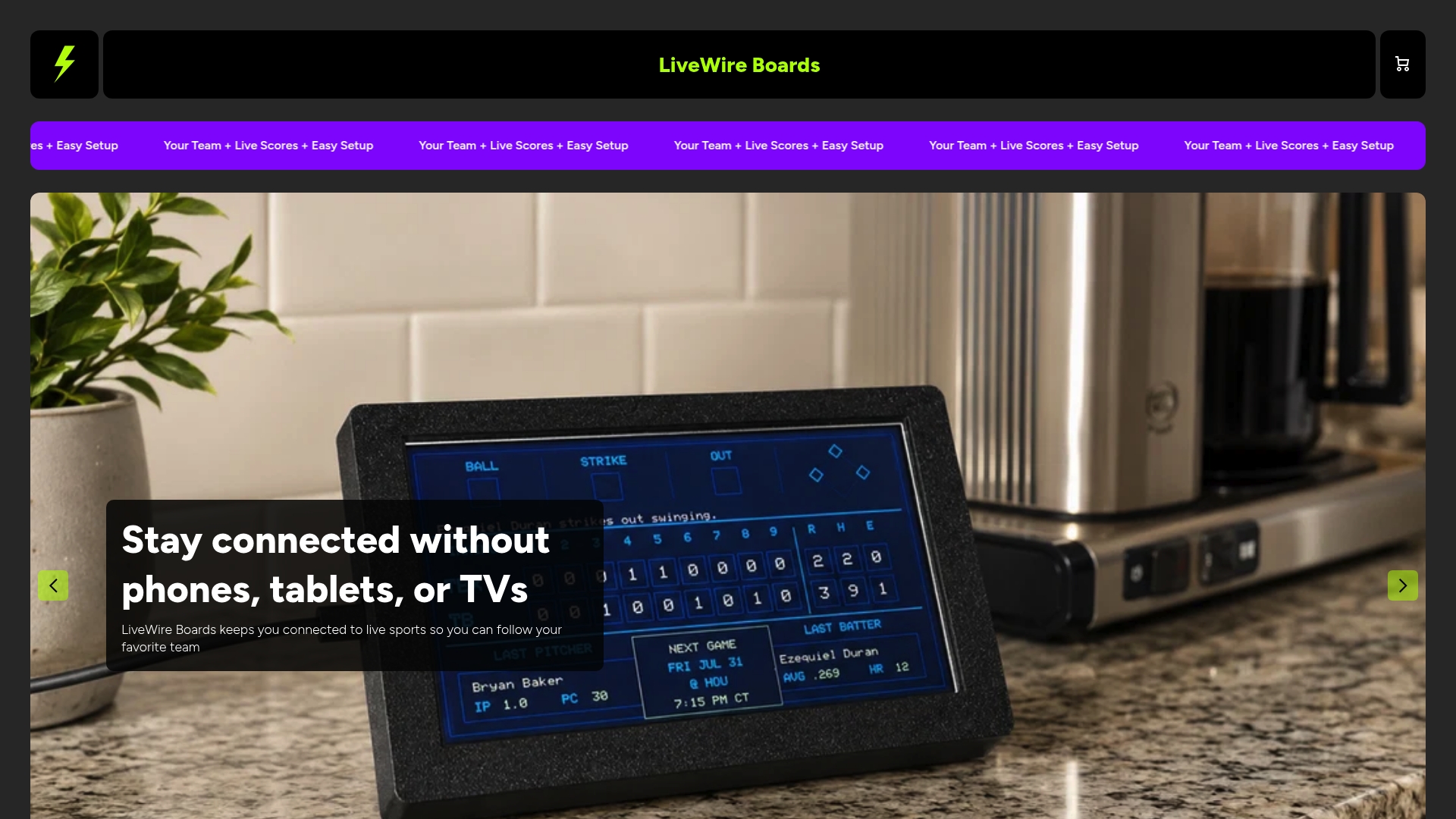
It’s built for the exact households this article is written for: parents trying to protect family time and kids’ attention spans, including families managing ADHD, without giving up the games everyone actually wants to watch. Setup takes minutes, and it works in any room, from the kitchen to a kid’s bedroom, without adding another screen to the count.
If a device-free zone in your Family Media Plan needs a sports exception, this is it. Check out The Original LiveWire Board and get scores flowing without opening a single app.


