
- en, sports updates without subscription
- Cameron
Live Sports Updates Without a Subscription, Built for ADHD Families

Yes, you can get real-time sports updates at home with zero subscription fees. Wi-Fi connected, screen-free scoreboards do this by pulling live scores straight from the internet and displaying them on a dedicated device, not a phone or tablet. There are devices like the Original LiveWire Board on the market. The rest of this guide covers how it works, why it beats an app for distraction-prone households, and what to check before you buy.
TL;DR:
- These scoreboards update live scores via Wi-Fi with minimal latency and support most major sports, but do not provide detailed play-by-play features.
- Placement in shared spaces at a low brightness level with static cues reduces distraction and encourages household awareness without attention-seeking animations.
- They eliminate the need for apps or subscriptions, offering a one-time purchase that simplifies score monitoring for families and ADHD households.
- The setup involves Wi-Fi connection and team selection before game day to ensure quick updates during live events.
- The visual style and size should match your room’s space and aesthetic, with more calming, predictable signals preferred for long-term use.
Table of Contents
- What Is a Screen-Free Sports Scoreboard, Exactly?
- Why Do These Boards Help Families and People With ADHD?
- How Do These Boards Get Live Scores, and What Does Setup Involve?
- What Should You Compare Before Buying?
- Where Should You Put It, and How Do You Keep It Calm?
- What Should You Actually Expect Living With One of These?
- Get Live Scores Without the App, the Ads, or the Subscription
- Sources
What Is a Screen-Free Sports Scoreboard, Exactly?
A screen-free sports scoreboard is a small Wi-Fi connected device that shows live score updates for teams you pick, without a phone, a browser tab, or a streaming app in sight. Think of it less like a TV and more like a clock. It sits on a shelf, does one job, and does it quietly.
The distinction that matters most: you buy the hardware once. There’s no monthly bill, no login screen, no ad interrupting the score you actually wanted. That’s a real departure from how most people currently check scores, which usually means unlocking a phone, wading past notifications, and getting pulled into something else entirely.
Typical features on these boards include:
- Team selection for baseball, football, basketball, or hockey
- A simple numeric or LED-style display, not a video feed
- Automatic updates once connected to home Wi-Fi
- No app requirement for day-to-day use after setup
What you won’t get is play-by-play commentary, stats breakdowns, or video highlights. That’s by design. The tradeoff is less detail in exchange for far less pull on your attention.
Why Do These Boards Help Families and People With ADHD?
The case for ambient, low-distraction displays isn’t just intuition. Research on situated displays, including the MoodGems study on families raising children with ADHD, found that caregivers and kids preferred a physical, always-there display over a phone app. Participants reported less distraction and better communication as a household, because the information sat quietly in the room instead of demanding a screen unlock.
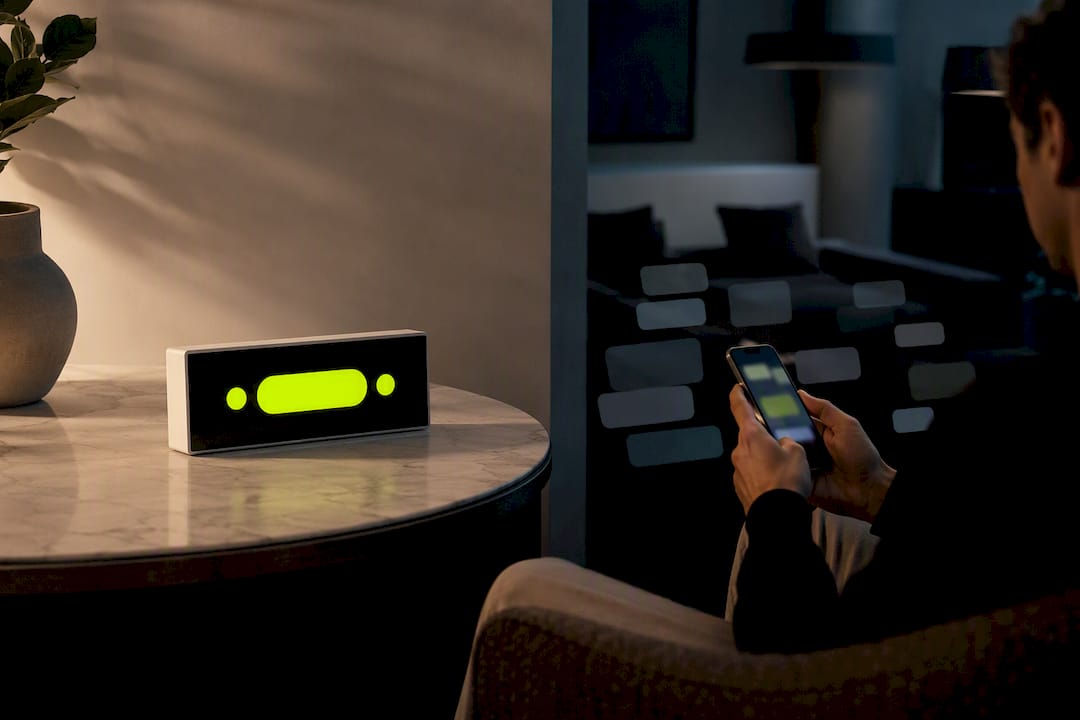
That preference lines up with broader findings on ambient display design. Research comparing visual cues found that animation drives distraction more than static color or position changes do. A scoreboard that changes a number occasionally is a very different cognitive experience than a feed that refreshes, scrolls, and pings.
Families report real benefits when they swap phone-checking for a passive display:
- Less “just checking the score” turning into 20 minutes of scrolling
- Shared awareness. Everyone in the room sees the update at once, no one has to ask
- Fewer arguments over borrowed phones or “one more minute”
- A predictable, low-anxiety way to follow a game during homework or dinner
For a kid or an adult with ADHD, the checking impulse is often the problem, not the score itself. Removing the phone from the loop removes the trigger.
How Do These Boards Get Live Scores, and What Does Setup Involve?
The data path is simpler than it sounds. Your home Wi-Fi connects the board to a server that pulls live sports data, and the board displays whatever update comes through. No app has to stay open, and no browser tab has to stay running.
DIY versions of this concept exist. Open-source projects like Scoreline poll sports APIs and push updates to WLED-controlled LED strips over WebSocket connections. It works, but it also demands comfort with polling scripts, LED controllers, and sometimes Home Assistant or Docker just to keep it running. A consumer device like The Original LiveWire Board skips all of that.
Setup typically looks like this:
- Connect the board to your home Wi-Fi network
- Select your favorite teams across baseball, football, basketball, or hockey
- Place or mount the board where you’ll actually see it
- Power it on and let it start pulling live updates
Expect instant score changes and simple visual cues. What you won’t get out of the box is video, win-probability graphs, or detailed play logs. That’s the point of the category, not a missing feature.
Pro Tip: Set up your board before game day, not five minutes before kickoff. Wi-Fi provisioning and team selection take longer the first time than they will ever again.
What Should You Compare Before Buying?
Not every screen-free board is built the same way, and the differences matter more than they look at first glance.
- Update frequency and latency. Does it update at scoring events, or does it lag behind the actual game?
- League and team coverage. Confirm your specific teams and sports are supported before buying.
- Display style. Numeric readouts, LED indicators, or simple ambient color. Pick what fits your space and your tolerance for visual stimulation.
- Size and mounting options. A shelf-sitter and a wall-mounted piece serve very different rooms.
- Power source and warranty. Plug-in versus battery changes where you can put it, and a warranty tells you how much the maker stands behind the build.
Because there’s no subscription, the entire cost lives in that first purchase. Judge value by asking how many seasons you’ll realistically use it, not by comparing it to a $10-a-month app you’d cancel by June.
If low distraction is the goal, look for boards with adjustable brightness and static (not animated) score changes. Predictable cues beat flashy ones. Ambient display research backs this up directly: simpler, calmer visual signals hold attention better over time than anything that mimics a notification.
Where Should You Put It, and How Do You Keep It Calm?
Placement decides whether a scoreboard becomes ambient or becomes another thing to stare at.
- Put it in a shared space (kitchen, living room, den), not a bedroom where it becomes a personal screen substitute
- Mount or place it at a height where it’s visible in peripheral vision, not right at eye level where it demands focus
- Keep brightness low, especially in the evening, and skip animated transitions if the device offers a choice
- Use color sparingly. Ambient display research found that color-coded cues that stay consistent per team read more calmly than reactive, changing colors
Spatial-intervention research on digital wellbeing points to the same idea: placing information in a communal zone, away from personal devices, reduces the urge to compulsively check. A scoreboard on the kitchen counter does that job better than one balanced on an arm rest next to a phone.
Pro Tip: Set a simple house rule: the board is for glancing, not talking about. If a big score change happens, let the room notice on its own instead of narrating every update.
If you’re building out a game-day corner of the house, coordinating team colors across the room, including things like custom jersey displays, can reinforce the same calm, low-tech feel rather than turning the space into a second TV setup.
What Should You Actually Expect Living With One of These?
Living with a screen-free scoreboard means accepting a real tradeoff: you get less detail in exchange for a lot less pull on your attention. No highlight reels, no stat lines, no scrolling. Just the score, updated when it changes.
Many families notice a positive shift shortly after starting to use such a scoreboard. The phone comes out less during dinner. Kids stop asking “what’s the score” every ten minutes because the answer is already sitting on the shelf. For a household managing ADHD, that predictability tends to matter more than any feature list.
It’s not a replacement for watching the game. It’s a replacement for the fifteen phone checks you’d otherwise do while half-watching something else.
— Cameron
Get Live Scores Without the App, the Ads, or the Subscription
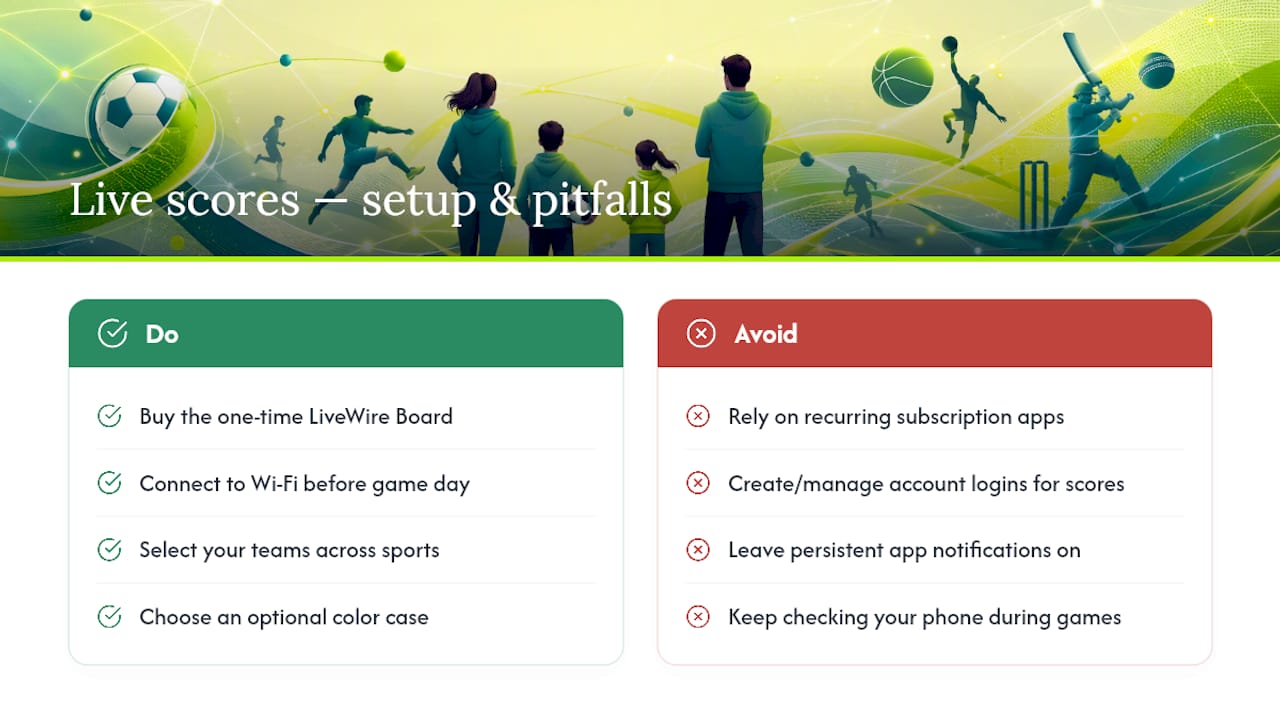
The Original LiveWire Board is a one-time purchase, not a recurring bill, and that’s the real difference between it and every score-checking app on your phone. Connect it to Wi-Fi, pick your teams across baseball, football, basketball, or hockey, and it starts working. No app to babysit, no account to manage, no notification creep.
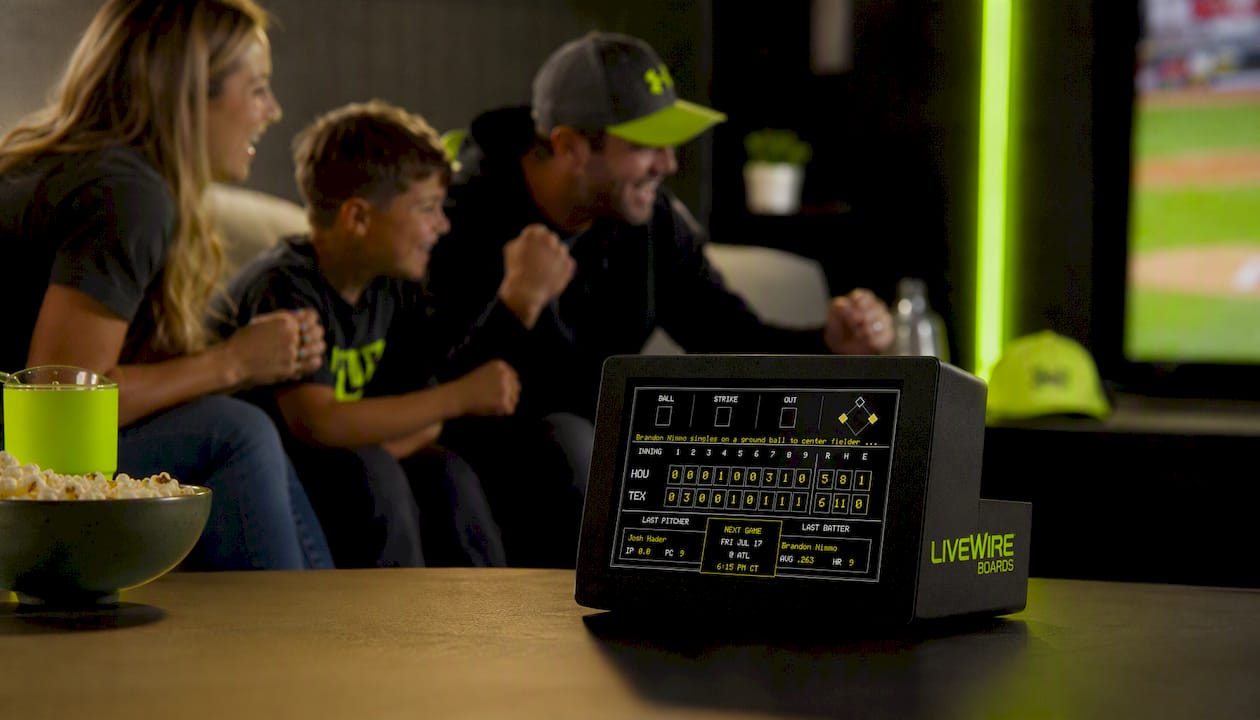
Inside the box, the board is typically ready for Wi-Fi setup and team selection right out of the packaging. Some devices offer optional color case upgrades to match a room or team colors without changing functionality. For families reducing screen time or managing ADHD at home, a low-friction setup is important alongside reliable score updates. Quick-start tip: connect to Wi-Fi and select teams before game day so the first score you see is the one you actually wanted.
Ready to swap phone-checking for a shelf that just tells you the score? Visit the product page to see current options and pick your teams.
Sources
This guide drew on human-computer interaction research into ambient displays and family well-being, including the MoodGems study on ADHD households, research on ambient display distraction and visual cues, and work on spatial interventions for digital wellbeing. For a look at DIY technical approaches to live sports data, see the Scoreline project. For the consumer option covered throughout, visit LiveWire Boards.
- Interactive and immersive displays / ambient display evaluation
- Scoreline — live sports win probability visualized on WLED (GitHub)


