
- en, stanley cup without phone
- Cameron
Six Step Phone Free Stanley Cup Setup for ADHD Families

Yes, you can get live Stanley Cup score updates without a phone by using a Wi-Fi, screen-free scoreboard configured for your teams. These devices display the score and game status pulled from official NHL data, no app required after setup. That makes them a practical fit for families managing screen time or supporting a child with ADHD.
TL;DR:
- Wi-Fi scoreboards automatically update live Stanley Cup scores and status from NHL data without the need for a phone or app after setup.
- Proper setup involves connecting to Wi-Fi, selecting teams, and verifying the initial update aligns with NHL.com, with manual refresh available if needed.
- These devices are for quick score checks only and do not support video, commentary, or live game viewing.
- Using a scoreboard fits into household routines and reinforces screen-free zones, especially useful for families managing ADHD or reducing distractions.
- The boards support multiple sports, can be placed anywhere, and are best used as part of a broader media management plan rather than standalone solutions.
Table of Contents
- What a screen-free scoreboard actually shows
- Setting up live Stanley Cup updates step by step
- Fitting a phone-free scoreboard into your family’s media plan
- Where LiveWire Boards fits into this picture
- What actually matters when you’re trying to cut the phone out of game night
- Getting your own screen-free scoreboard set up for playoff hockey
- FAQ
- Sources
What a screen-free scoreboard actually shows
A Wi-Fi scoreboard is not a television replacement. It is a small display that connects to your home network and pulls specific pieces of game information, refreshing automatically while a game is in progress.
Most devices in this category show:
- Team names and a running score for the game in progress.
- Game status: scheduled, live, or final.
- Period or clock information, when the device supports it.
- Basic series context during the playoffs, such as which game in a round is being played.
During setup, these boards typically draw on the same data published on Nhl, which lists scheduled, live, and completed games for the full league. Once configured, the board receives updates on its own, so nobody has to open an app or check a phone mid-game.
What it will not do is show you the game itself. There is no video, no audio, no play-by-play commentary. Think of it as a glanceable state display, the kind of thing you check the way you’d check a kitchen clock, not something you sit and watch. For families trying to cut down on screen use, that limitation is the point. The board tells you what you need to know (is it tied, who’s ahead, is it over) without pulling anyone into a feed, a notification, or a video autoplay.
Setting up live Stanley Cup updates step by step
Getting a screen-free board running for playoff hockey takes a short time for adult setup, then nothing else for the rest of the series.
Before you start, confirm three things: your home Wi-Fi network name and password, your time zone (playoff games shift start times often), and which data fields matter to you. Some households want score only. Others want period and clock too.
- Connect the board to your home Wi-Fi network using the setup instructions that come with the device.
- Register or pair the board, which usually involves a short one-time code or app-based handoff.
- Select your teams from the device’s team list, including your Stanley Cup favorites.
- Cross-check the first update against NHL.com’s Scores page to confirm the board is reading the correct game.
- Test the board during a live game to watch the score and status update in real time.
- Lock the settings so kids can view the board but can’t change teams or network settings.
If updates stop appearing, check the Wi-Fi connection first, then confirm the device firmware is current. If the score or series looks wrong, check your time zone setting and compare against the NHL’s 2026 Stanley Cup Playoffs bracket, since playoff matchups and game numbers shift as rounds progress. Most boards also support a manual refresh if you want an update between automatic cycles.
Pro Tip: Set up your router’s parental controls once, at the same time you configure the board, so you’re not revisiting network settings separately later.
Fitting a phone-free scoreboard into your family’s media plan
A scoreboard works best when it’s part of an agreed household routine, not just another gadget plugged in and forgotten.
The American Academy of Pediatrics recommends building a personalized Family Media Plan rather than relying on fixed hourly limits for every household. The guidance centers on screen-free zones, agreed rules, and parental controls tailored to your family, not a one-size number.
Applied to a scoreboard, that looks like a short family conversation and a few simple rules:
- Decide where the board lives (kitchen counter or family room work well) and keep it there.
- Agree on which teams and updates show, with an adult controlling changes.
- Set a “board-only” rule during games: check the score on the board, not a phone.
- Revisit the rules occasionally as kids get older or interests change.
The AAP’s Family Media Plan framework favors household-specific rules over universal screen-time limits, and a screen-free display fits naturally into that kind of plan.
For families managing ADHD, the CDC’s clinical guidance points toward reducing distractions and keeping routines consistent as part of a broader, individualized approach. A scoreboard can support that kind of environment by removing the temptation to check a phone, but it is not a treatment and shouldn’t be framed as one.
Where LiveWire Boards fits into this picture
Some companies make Wi-Fi, screen-free scoreboards built for this use case: live score updates for hockey and other sports, delivered without opening an app or picking up a phone. Users can select their favorite NHL teams, including teams in the Stanley Cup playoffs, and the board updates on its own from there.
The appeal for families is straightforward. Setup is typically quick, the display can be placed anywhere in the home, and there’s no ongoing screen interaction required to stay current on a game. For households working from a Family Media Plan, these boards can slot in as a rule for checking scores in one place rather than on a device.
It’s worth repeating that this is a sports-update tool, not a medical device, and it works best as one piece of a broader approach to managing screens at home.
What actually matters when you’re trying to cut the phone out of game night
Most advice about reducing screen time focuses on restriction: set a timer, turn off notifications, lock an app. That approach treats the phone as the problem to manage, when the real issue is usually substitution. If checking the score is the only reason someone picks up a phone during a game, removing that reason matters more than limiting the phone itself.

A screen-free scoreboard works because it replaces the habit instead of fighting it. You’re not telling anyone to resist checking the score. You’re giving them a way to check it that doesn’t open the door to texts, social feeds, and fifteen more minutes of scrolling. That distinction gets underestimated in most screen-time advice, which tends to assume willpower is the fix.
The families who get the most out of this approach treat the board as one agreed rule, not a gadget, and build it into a plan everyone already follows.
— Cameron
Getting your own screen-free scoreboard set up for playoff hockey
If you’re ready to try a phone-free way to follow the Stanley Cup, The Original LiveWire Board is built for this exact situation: connect it to your Wi-Fi, choose your NHL teams, and start seeing live scores without opening an app.
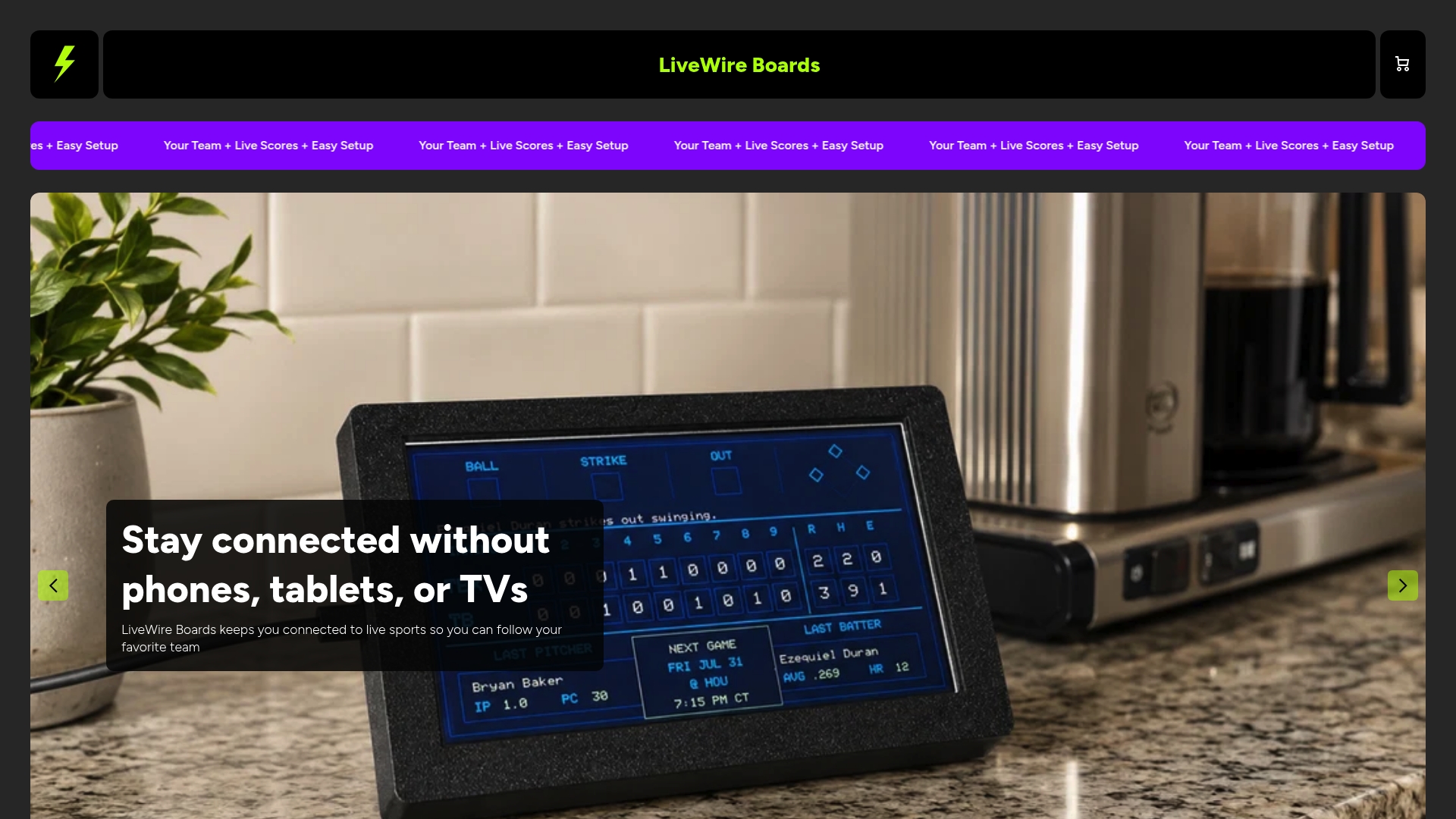
Most buyers follow the same basic path after ordering: unbox the board, connect it to home Wi-Fi, select teams for the sports they follow, and fold it into whatever media rules the family has already agreed on. Full specs, shipping details, and setup support are on the product page itself.
If hockey isn’t the only sport your household follows, the same board supports baseball, football, and basketball teams, so it doesn’t have to sit unused once the playoffs end.
FAQ
Can I get Stanley Cup scores without using a phone at all?
Yes. A Wi-Fi, screen-free scoreboard configured with your teams displays live score and status updates without a phone or app once it’s set up. The setup itself typically takes a few minutes using a home Wi-Fi connection.
How do I verify a scoreboard is showing the correct Stanley Cup game?
Check the board’s reading against NHL.com’s Scores page, which lists scheduled, live, and completed games league-wide. If the score or series doesn’t match, confirm your time zone and check the playoff bracket for the correct matchup.
Can I watch the actual Stanley Cup game without a phone?
Watching full broadcasts without a phone typically means a television, a smart TV app, or a radio broadcast rather than a scoreboard, which only shows score and status. A screen-free scoreboard is meant for quick score checks, not for watching the game itself.
Is a screen-free scoreboard helpful for kids with ADHD?
It can support an environment with fewer distractions, since it removes the need to pick up a phone to check a score. The CDC’s ADHD guidance recommends reducing distractions and keeping routines consistent, but a scoreboard is not a treatment and should be used alongside a broader family plan.
Does LiveWire Boards work for Stanley Cup playoff games specifically?
Yes, LiveWire Boards lets customers select NHL teams and receive live score updates during the regular season and playoffs, including the Stanley Cup. Setup involves connecting the board to Wi-Fi and choosing teams, with no additional app needed afterward.


